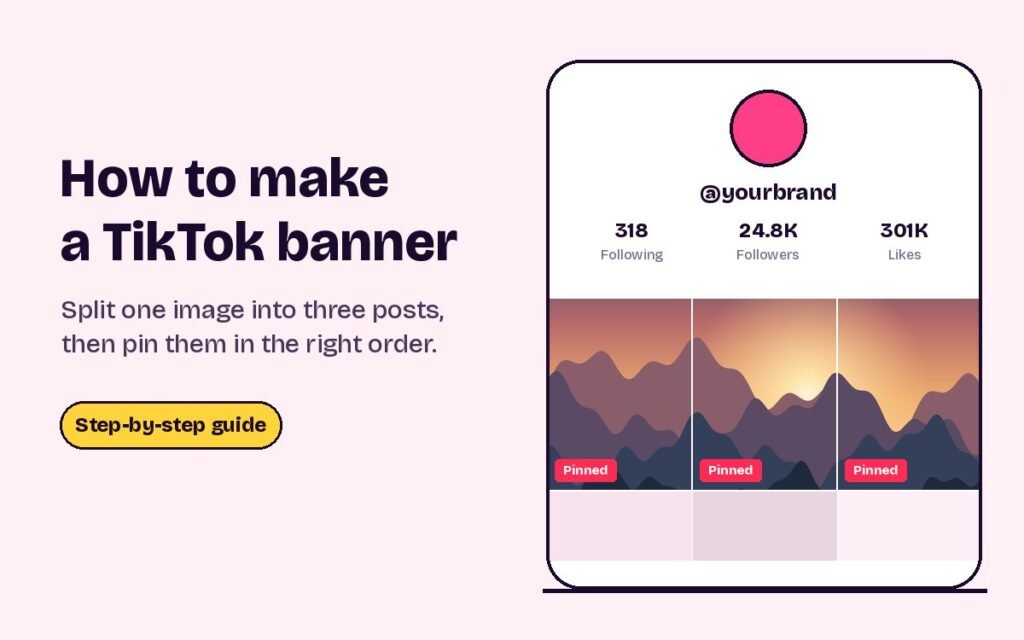
Short answer: a TikTok banner is one wide image split into three posts that sit side by side at the top of your profile. To make one, cut your image into three 1080 × 1920 tiles, post each tile as its own short video using the tile as the cover, then pin all three. Pin the right tile first and the left tile last, because TikTok shows the most recently pinned post first.
The rest of this guide covers the right size, every step in order, and how to fix a banner that doesn’t line up.
What a TikTok banner is
TikTok shows your posts as a grid of thumbnails, three across. You can pin up to three posts to the top of that grid, and pinned posts stay there no matter what you post afterwards. A banner uses those three pinned spots for one continuous picture: your name, a product shot or a simple design that runs across the top row of your profile.
Because the banner sits in the pinned row, it acts like a header. New visitors see it before anything else, and it doesn’t move when you post new videos.
TikTok banner size
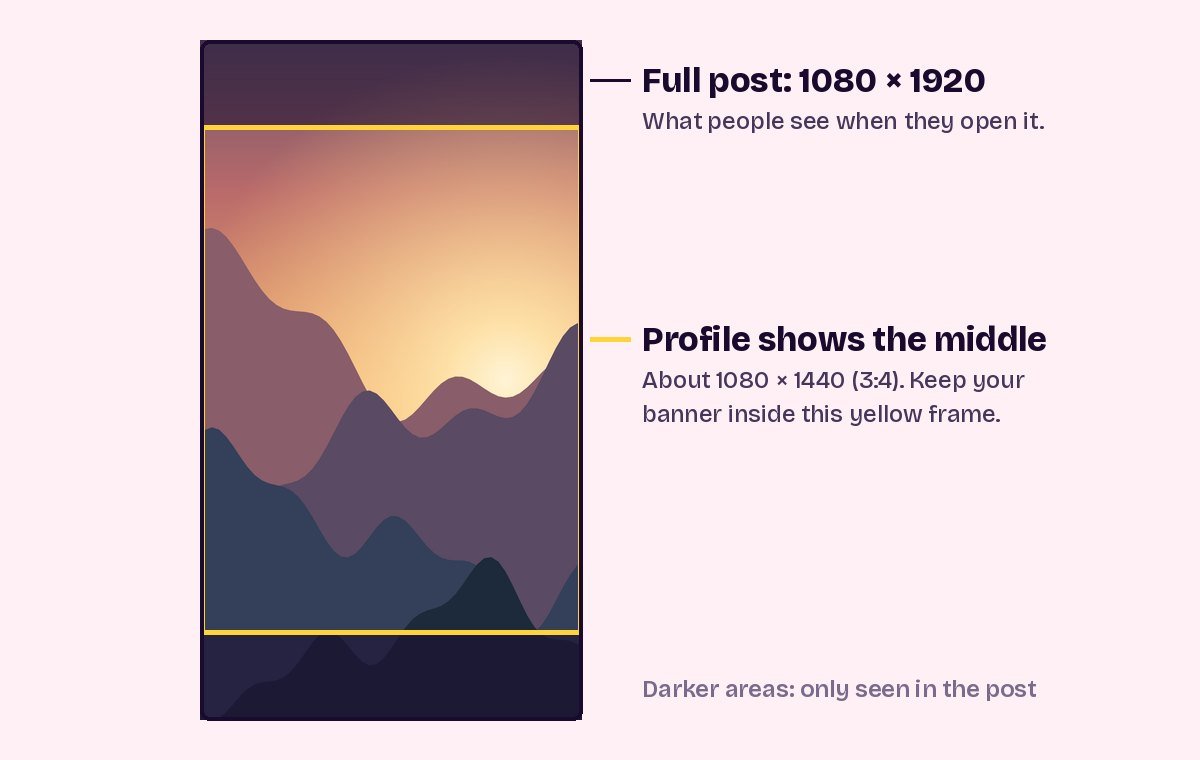
Each post is a full-screen 9:16 video, but the profile grid only shows a shorter crop from the middle of each one. Your banner has to sit inside that middle part.
| What | Size |
|---|---|
| Each post | 1080 × 1920 pixels (9:16) |
| Part shown on the profile | The middle of each post, about 1080 × 1440 (3:4) |
| Banner across all three posts | About 3240 × 1440 pixels |
| Number of posts | 3, the most TikTok lets you pin |
TikTok doesn’t publish the exact shape of its profile thumbnails. The 3:4 crop is what profiles show today, so check your own profile after posting, as explained in the fixes below.
How to make a TikTok banner, step by step
- Pick or design a wide image Use something a little more than twice as wide as it is tall (a 9:4 shape, like 3240 × 1440), so it fills three 3:4 tiles side by side. Keep the important parts away from the two places where it will be cut, at one third and two thirds of the way across.
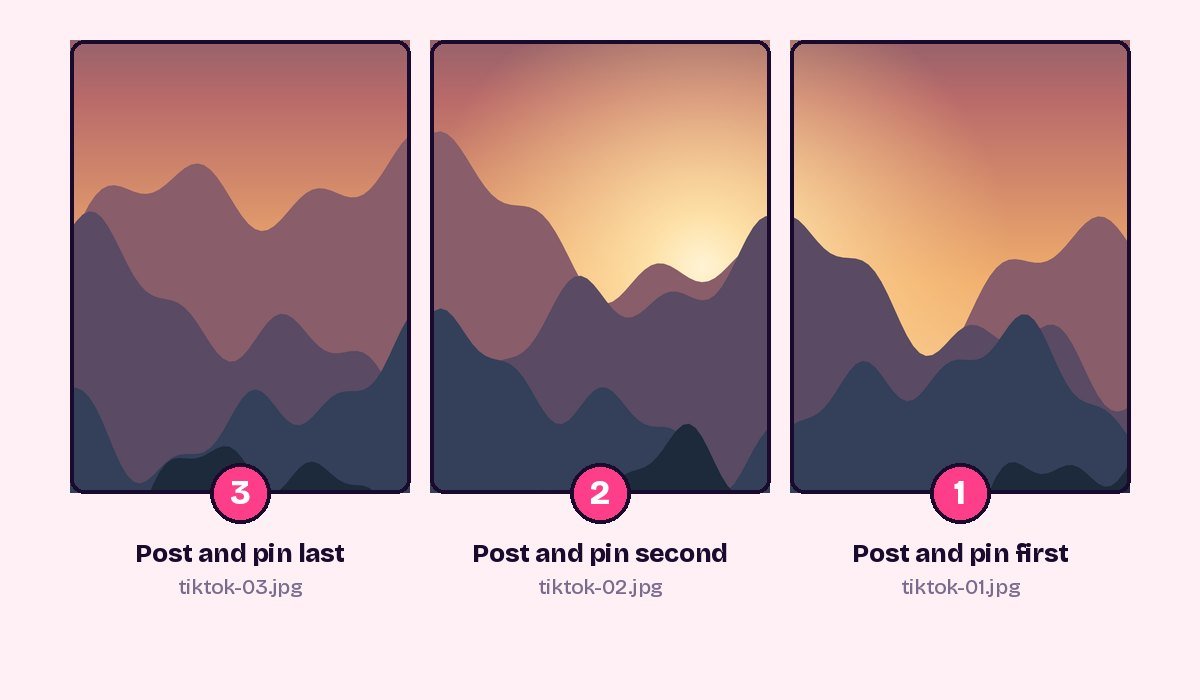
- Split it into three tiles Open the TikTok banner maker, upload the image and drag it until it sits well in the frame. Download the three files. They are numbered in posting order: tiktok-01 is the right tile and tiktok-03 is the left tile.
- Turn each tile into a short video TikTok documents pinning for videos, so the most reliable way is to post each tile as a video a few seconds long. In a video editor such as CapCut, add the tile on its own, set it to about 3 seconds and export it. Do this for all three tiles.
- Post the right tile first Upload the tiktok-01 video. On the post screen, tap Select cover and choose a frame that shows the tile, then publish. Repeat with tiktok-02 and then tiktok-03, in that order.
- Pin the three posts, right tile first Open the tiktok-01 post, tap the three dots and choose Pin. Then pin tiktok-02, and pin tiktok-03 last.
- Check your profile Open your profile as a visitor would see it and make sure the picture reads left to right with no gaps or jumps at the edges.
Why the pin order matters
Pinned posts don’t appear in the order you published them. They appear in the order you pinned them, and the last post you pin is shown first, on the left. That’s why you pin the right tile first and the left tile last.
TikTok only has three pinned spots, and the banner uses all of them. To pin something else later, you have to unpin one of the tiles, which breaks the banner, so plan to rebuild it when you change your pins.
Fixing a banner that doesn’t line up
The edges don’t meet. This usually means one cover isn’t showing the full tile. Open that post’s cover settings and pick a frame where the tile fills the screen, not a zoomed-in part. If TikTok shows a slightly different crop on your profile, adjust the profile crop in the banner maker’s settings and export again.
The tiles are in the wrong order. Unpin all three, then pin them again: right tile first, middle second, left tile last.
The banner looks blurry. Start with a larger image. For full sharpness, the source should be around 3,240 pixels wide. The banner maker tells you when an image is too small.
One tile shows a frame from the wrong moment. If your video had more than the tile in it, TikTok may have picked a different frame as the cover. Choose the cover by hand on the post screen before publishing.
TikTok banner ideas
- Your name or brand in big letters. One word per tile reads clearly, even on a small screen.
- A wide photo of your work. A product row, a landscape or a workspace shot that runs across all three tiles.
- A simple colour gradient. Three tiles that blend from one colour to the next look tidy and leave room for text on the videos themselves.
- A “start here” header. Put a short welcome across the banner and use the three videos to introduce yourself, your best work and what to expect.
- A seasonal header. Because it’s only three posts, a banner is easy to swap for launches, holidays or sales.
Keep text away from the very top and bottom of the visible area, where TikTok places the “Pinned” label and the view count.
Questions people ask
How many posts can I pin on TikTok?
Up to three. That’s why a TikTok banner is three posts wide.
What size should a TikTok banner be?
Three posts of 1080 × 1920 pixels. The banner itself sits in the middle part of each post, about 1080 × 1440, which is what the profile shows.
Which tile do I pin first?
The right tile. TikTok shows the most recently pinned post first, so pinning the left tile last puts it on the left.
Can I use photo posts instead of videos?
TikTok documents pinning for videos, so short videos are the dependable choice. If your app shows a Pin option on a photo post, posting the image directly works too, but check the result on your profile.
Do I need an app to make a TikTok banner?
No. The TikTok banner maker splits the image in your browser, and nothing is uploaded. You only need a video editor for the short videos if you want to post them as videos.
Sources
- Metricool: How to pin videos on TikTok (pin limit and pin order)
- CapCut: TikTok banner tutorial (three-video method and cover selection)
- Our Instagram and TikTok size guide
Ready to try it? Make a grid that fits the new 3:4 profile in under a minute.
Open the grid maker