Short answer: the carousel ideas that work best are the ones with a reason to swipe: a list, a set of steps, a before and after, a story with an ending, or a comparison. Below are 25 ideas sorted by what you want the post to do, from teaching and selling to showing behind the scenes, with a section of ideas for small businesses and tips for the first and last slides.
If you’re new to the format, our guide to what an Instagram carousel is covers the basics, and the carousel size guide covers the dimensions. This page is all about what to put in one.
Carousels that teach
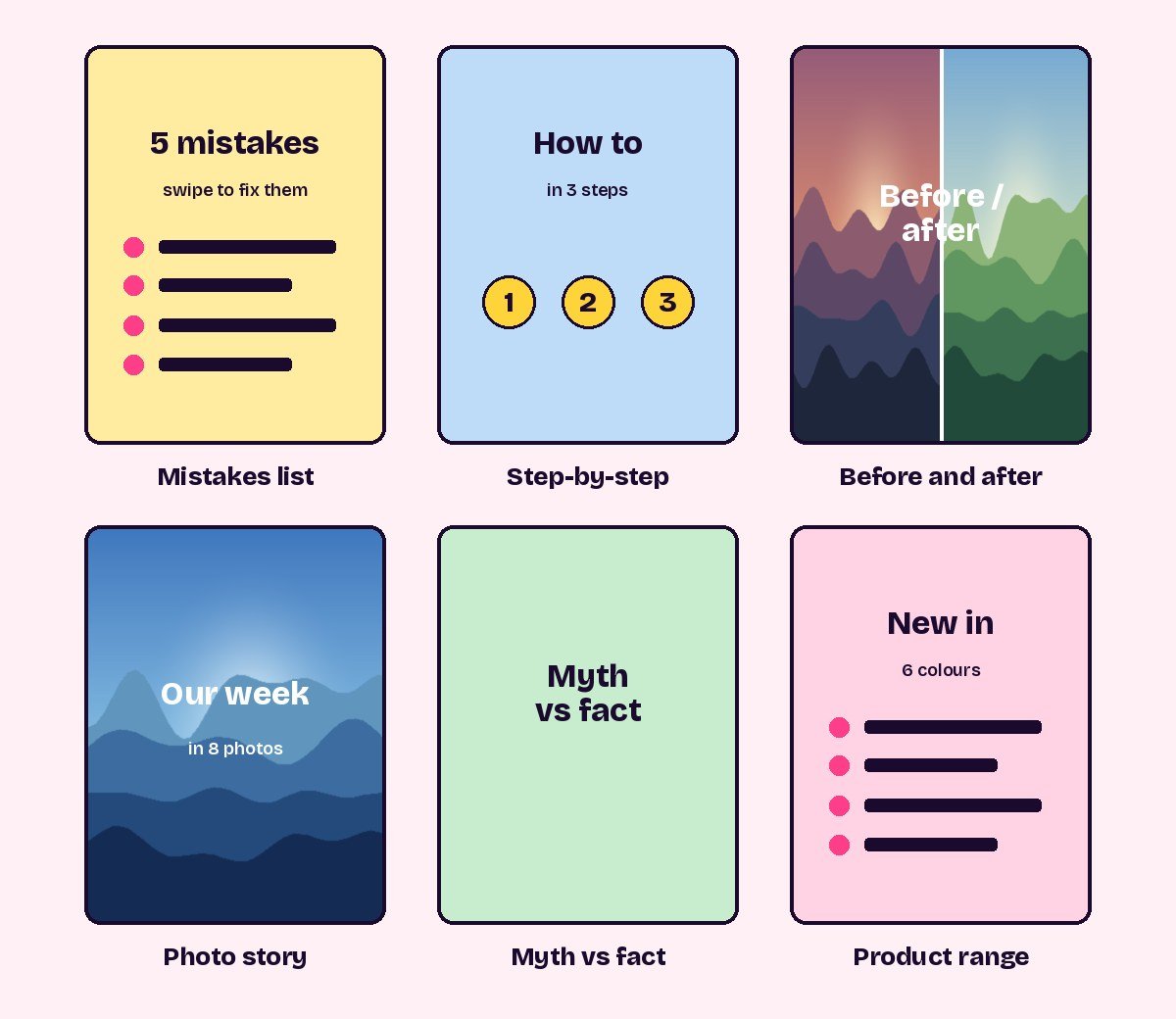
- Step-by-step how-to One step per slide, with a number on each. Finish with the result.
- Mistakes and fixes “5 mistakes people make with…”, with the mistake at the top of each slide and the fix below.
- Myth vs fact One myth per slide, crossed out, with the truth underneath.
- Cheat sheet A dense reference slide at the end, after a few slides that explain it. People save these.
- Glossary The terms beginners in your field don’t know, one per slide, in plain words.
- Tool or app roundup The tools you actually use, one per slide, with what each is for.
Carousels that show
- Before and after Start with the after to hook people, then show the before and the steps in between.
- Behind the scenes How something is made, packed or prepared, in order.
- A day or week in photos A photo dump with a thread running through it, such as one trip, one project or one event.
- Process in progress The same piece photographed at each stage, from sketch to finish.
- Panorama One wide photo that moves across the slides as people swipe. Cut it into equal slides with the carousel splitter so the joins line up.
Carousels that start conversations
- This or that Two options per slide. Ask people to comment their picks.
- Unpopular opinions One opinion about your field per slide. It invites replies.
- Questions you get asked A real question on each slide with a short answer.
- Your story How you started, what went wrong and what changed, told in short slides with an ending.
- Lessons learned “What a year of … taught me”, one lesson per slide.
Ideas for small businesses
- Product range Every colour, size or flavour of one product, one per slide, with the price on the last slide or in the caption.
- How to use it Three to five ways to use or style one product.
- What’s included Unpack a box, bundle or service slide by slide, so people know exactly what they get.
- Customer questions The questions you answer most in messages, with short answers. It saves you replying one by one.
- Meet the team One person per slide with their role and one personal detail. People buy from people.
- Customer results Real reviews or photos from customers who gave permission, one per slide, credited as they agreed.
- Price explained What goes into the price: materials, time and care. It answers “why does it cost that?” before anyone asks.
- Launch countdown The new product revealed bit by bit across the slides, ending with the date.
- Seasonal guide A gift guide, holiday hours or a seasonal menu, laid out one section per slide.
Make the first slide earn the swipe
The first slide is the only one most people see, in the feed and on your profile, where it’s cropped to 3:4. Treat it like a cover:
- Say what’s inside. “5 mistakes”, “How I made this” or “Before and after” tells people why to swipe.
- Use few, large words. Readable at a glance, and inside the middle of the slide so the profile crop doesn’t clip them.
- Leave a hint at the edge. An arrow, a cut-off shape or the start of a sentence makes people want the next slide.
Make the last slide do something
Whoever reaches the last slide is your most interested viewer. Give them something to do: save the post, read the caption, visit the link in your bio, or comment an answer. A recap slide that sums up the whole carousel also works well, because it’s the slide people screenshot and save.
How many slides?
Instagram allows up to 20, but most ideas above work best with somewhere between 5 and 10. Use as many as the content needs and no more. A carousel that keeps delivering something new on every slide gets swiped to the end, and one that pads with filler gets abandoned halfway.
Questions people ask
What should I post in an Instagram carousel?
Anything with more than one part: steps, lists, before and after, a story, or several products. Each slide should give people a reason to see the next one.
What are good carousel ideas for a small business?
Product ranges, how-to-use guides, what’s included, answers to customer questions, meet the team and the story behind your prices all work well.
How many slides should a carousel have?
Up to 20 are allowed. Most carousels work best with 5 to 10, depending on how much there is to say.
What size should carousel slides be?
1080 × 1440 pixels for posts from the app, or 1080 × 1350 if you schedule them. Keep every slide the same size.
Sources
- Instagram Help Center: Share a post with multiple photos or videos (up to 20 per post)
- Instagram carousel size: 1080 × 1440 or 1080 × 1350?
Ready to try it? Make a grid that fits the new 3:4 profile in under a minute.
Open the grid maker